

Ask and check
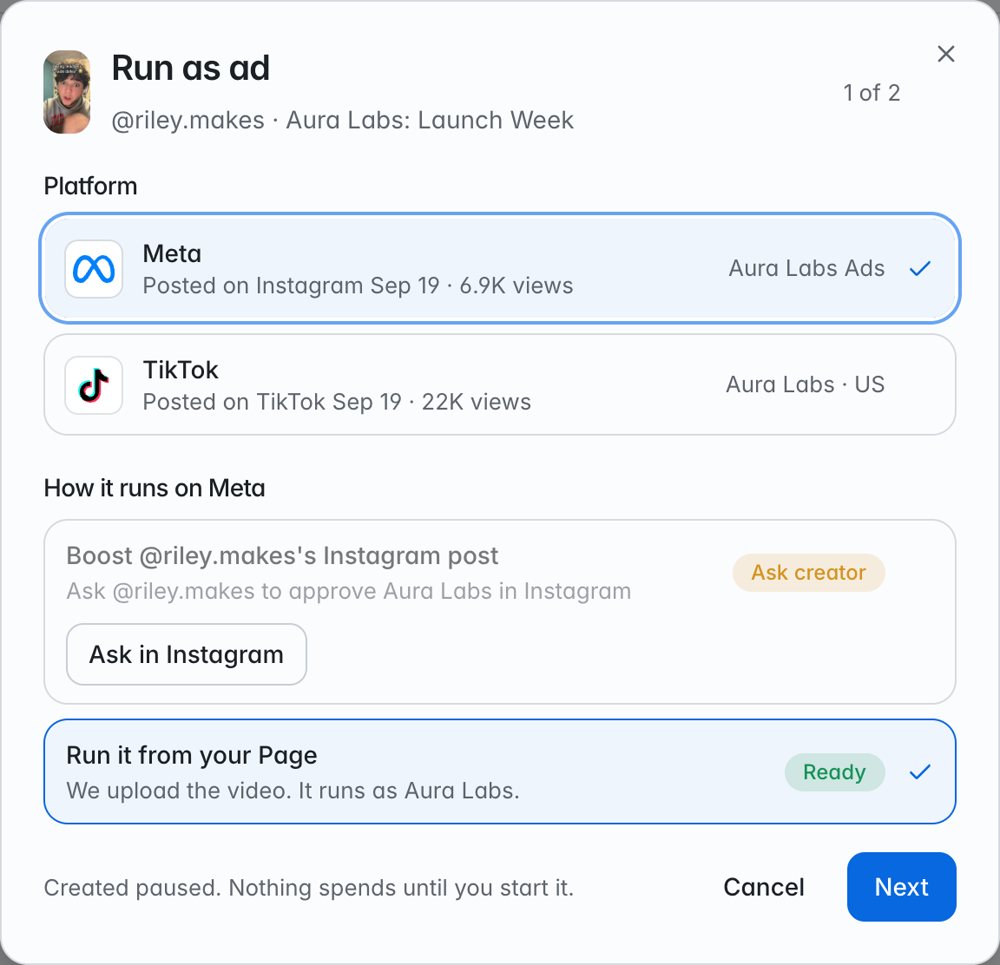
- In Run as ad, click Ask in Instagram. Instagram sends the creator a request from your brand’s Instagram account, and NewWave notifies them too. The status turns Asked.
- The creator approves it in the Instagram app.
- Back in Run as ad, click Check again. The status turns Creator approved.
Boosting the creator’s own post
Boosting the creator’s post itself, with its likes and comments, also needs the post to tag your brand as a paid partner. If it doesn’t, Run as a partnership ad runs the same video with the creator’s name on it instead.TikTok
There’s nothing to ask on TikTok. The creator gives permission when they connect TikTok to NewWave, and Spark @creator’s TikTok post shows as ready once the video is live on their TikTok. If a creator connected before ads were available, ask them to reconnect TikTok.Next steps
Run a video as an ad
Create, start, and pause ads.
Troubleshooting
What each message means and how to fix it.